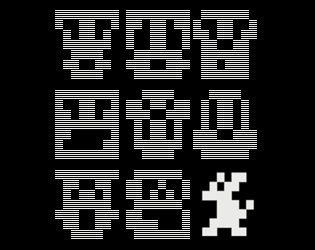
MOUNSTERS
A downloadable game for Windows, macOS, Linux, and Android
ABOUT
A free roaming monster battling experience combining arcade and strategy elements.
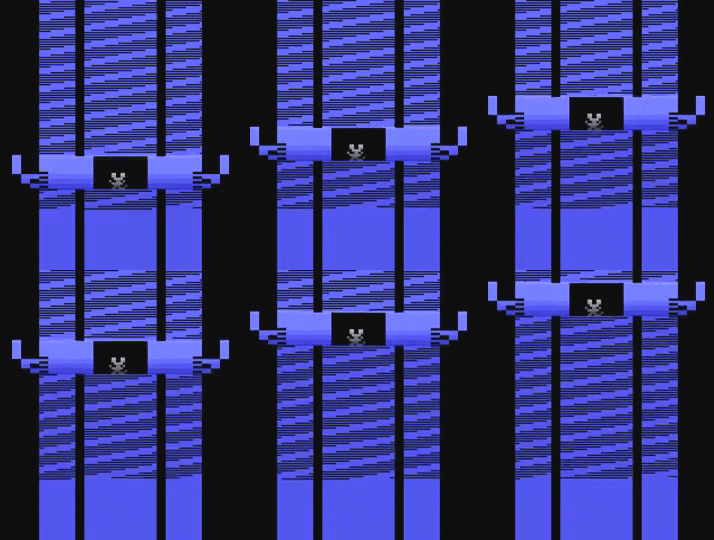
(above: yes but, why am I looking at a lift now?)
CONTROLS
- Joystick Down once for Fast Travel to choose N E S W using Joystick Left-Right, where left instructs CCW and right CW.
- This speeds you along the desired direction, avoiding blocks.
- Repeatedly use Joystick Down then Up (or hold down), to eventually enter Night Slip, where the bonus green blocks can be.
- Else, use Joystick Left-Right to grab colour blocks about the landscape.
- Hold Joystick Up for Change Spear, which changes colored blocks to white, for health on collect.
- BW/Color Switch for map.
NAVIGATION
Choose to travel across countryside in any Realm.
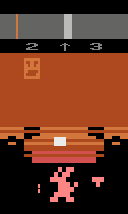
A Realm is a grid location on the map→use BW/Color Switch to view. Realms are differentiated by Battle Arena's facade and monster. These exist at locations (2,2).
UI
Note UI's LHS digit representing your X location and the RHS digit representing Y. Between is the directional arrow.
Beneath LHS digit is current Realm's monster (a head, yeah?). It will blink when you've acquired the Target Color, indicating Battle Arena readiness for your mouse (see 'GENE SEQUENCER' below).
MAP
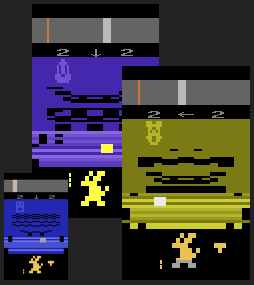
BW/Color Switch brings up the map.
It’s a two-by-four grid with Battle Arenas, the player represented by a dot. (NB., coarse measure between).
Using navigation cues from the UI, whenever you've travelled a distance of 5 (since 0 to 4 rolls to 0, or 4 to 0 rolls to 4), either N_S or E_W, demarcates the next grid / Battle Arena location.
Battle Arenas change colour on the outcome of a fight. Red for monster victory, green for player's victory.
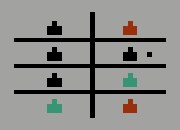
GENE SEQUENCER
Utilise the Gene Sequencer by collecting coloured blocks about the landscape. These building blocks of life are represented in the player mouse, as shown immediately below the main display. As each part updates its focus, represented by a dashed vertical line, a coloured block so-collected will colour that section. The sequencer will then cycle its focus to the next section upon Joystick Button.
SEQUENCES
To begin, colour your mouse white, then collect the next colour as presented in the landscape (ie., yellow follows white).
Shown to mouse's immediate right is the Target Colour 'T'. When your mouse matches this (or has matched at least once, whilst latched at least one body segment in this cycle), you gain access to a Battle Arena. This is indicated beneath LHS digit up top as a blinking head, the Realm's current monster.
Target Colour updates post an arena battle.
If no coloured blocks present in the landscape, choose to sequence your mouse white again to resume collecting colour blocks.
Grey and Green blocks aren't included→see 'HEALTH' below.
Each sequenced outcome—mouse head, torso and legs—will grant the next block colour until you are collecting the final colour as depicted in Target Colour 'T'.
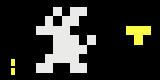
BATTLE ARENA
Enter a Battle Arena to pit your mouse against one of eight unique demonic foes. It's a megahead with complimentary laser-shot doodad running along the floor.
To enter the arena, first sequence your mouse to match Target Colour. Then go to location (2,2) in any map's grid.
NB., Battle Arenas will not be visible unless your mouse matches Target Colour (or has matched once, whilst latched at least one body segment in this cycle). If in doubt, just be guided by the blinking head!
NB., Battle Arenas may be re-entered and battles refought.
BATTLE
Avoid laser shot along floor—as well shooting through it—to eventually shoot the monster. LHS numbers are the player's. First to zero wins. As you approach victory, electric rain will fall; this should be avoided.
Battles increasingly get tougher (due strengthening rain), then ease back again, approximating what was encountered at game’s beginning.
The outcome of the fight recolours a battle arena—and your mouse—red (lost) or green (won).
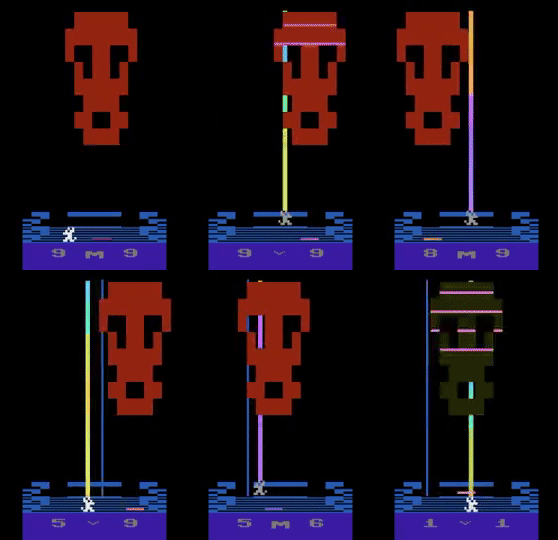
(above: battle—at long blast!)
HEALTH
Atop navigation UI is the player's health represented by a bar along a horizontal slide. The bar moves right-to-left when losing, and left-to-right when gaining. Depending how you play the game, it renders itself red; either when far-left within, or immediate to entering, the Critical Zone. This zone is represented by a thin vertical line along the slide.
When your health bar renders light red, there is little distance remaining for the player to travel. Game-over occurs on darker red.
- Health diminishes over time when walking outside.
- diminishes quicker during Fast Travel.
- Health diminishes (-1) when striking a grey block.
- To progressively restore health (+1), collect white blocks.
- convert any block to white using the Change Spear (+2 health).
- Or grab a green block if available → gambles radically more or less health.
- Otherwise, from any battle won, receive full health.
CHANGE SPEAR
Hold Joystick Up to bring forth the Change Spear, where any block touched will convert to white. Once collected, increases health +2. This mode excludes Fast Travel and Joystick Left-Right moves.
Tips:
+ use later in the day when blocks arrive quickest.
+ anytime, rapidly twitch left-or-right to centre a block, then use the spear.
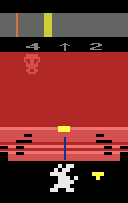
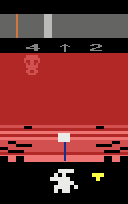
(above: spear changed yellow block to white)
DAY PHASES
Day moves into night, where green blocks may appear. Day phases are independent of Fast Travel. Blocks speed-up with the passing of the day; this resets after night.
NIGHT SLIP
Repeatedly use Joystick Down then Up (or hold Joystick Down, but watch for quickly decreasing health) to eventually enter Night Slip. In this mode, night lasts a short or long spell. Use this mode to chance a green block encounter.
LEVEL DIFFICULTY
The game pushes and eases difficulty in a variety of ways.
Block arrival speeds-up with the passing of the day until reseting after night.
Rain during battles intensify in strength to fall back again, after so many battles.
Grey blocks increase, post battles, requiring quick Change Spear use, avoidance, or Fast Travel—or even Night Slip. (Greys take over what could have been a white block for any health bump; they reset back again after so many battles.)
Colour Sequences to Target increase, making the journey to a Battle Arena longer. Target Colour resets after so many battles.
GAME OVER
- WIN the game shows emptied health rendered green. Map shows all Battle Arenas green. Your mouse 'has-of-a-leap.'
- LOSE the game shows emptied health rendered red. Your mouse is something of a skull feature. No further progress may be made.
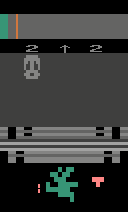
(above: victory!)
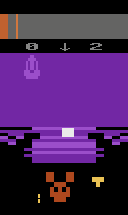
(above: not victory!)
Download
Install instructions
Use this file with an Atari emulator (available all platforms when accessed online).
In most cases, when burned to ROM (i.e., a physical cartridge), the supplied binary will work with an original Atari 2600 and 2600+.
NTSC
Development log
- MOUNSTERS released39 days ago
- MOUNSTERS - WIP 1745 days ago
- MOUNSTERS - WIP 1654 days ago
- MOUNSTERS - WIP 1562 days ago
- MOUNSTERS - WIP 1467 days ago
- MOUNSTERS - WIP 1380 days ago
- MOUNSTERS - WIP 1284 days ago
- MOUNSTERS - WIP 11Sep 11, 2025